Being an Industrial WiFi Guy like I am, spectrum analysis is not only critically important to what I do, but also one of my favorite things in wireless. My wife, a 20 plus year veteran elementary teacher, calls me a “visual learner.” Honestly, I couldn’t agree more. If I cannot touch, feel, taste, hear or see a concept, it becomes very difficult for me to wrap my brain around it and comprehend the subject.
Therein lies the awesomeness of spectrum analysis. The graphic representation of the sheer volume of numbers behind the measurements makes it easy for me to understand what is happening in the raw RF ranges that I am measuring. The peaks, valleys and colors of a density graph, the lines and motion of a waterfall graph, and the clean delineation of a simple utilization graph all make sense to me. These images then make it much easier to explain these concepts to more non-technical clients who then need to make financial decisions based upon this data.
Obviously, I am not the only one who feels this way. However, spectrum analysis tools in general are not cheap! As with anything in this profession, the best tools tend to be pretty expensive, running in the three and four and even five-thousand-dollar range. If you work for a small company or are independent, it can be difficult to acquire them or to just plain justify the expense!
Fortunately, there are options for those of us who do not have the financial backing of a large corporation.
TinySA
The TinySA Spectrum Analyzer by AURSINC is a cool little handheld device that is very inexpensive. I picked the version I have on amazon.com for a whopping $65.00 (and free shipping because it was Prime, yaay me!).

Mine has a frequency range of 100kHz to 960MHz which is great for industrial sensors and robots that utilize these lower RF bands. It has a 2.8-inch screen that is very clear and graphically sharp. This model does not have the ability to record sessions, so it does limit its usefulness to spot checking specific environments to see if there are issues. There is software that you can download to your computer to connect to TinySA, but its visuals are pretty basic and there are not many options. However, it is free so you can’t beat the price!
A surprising feature this device does have is that it is also a signal generator! I have found this very useful when I have various radios or wireless sensors on my workbench to test their abilities to deal with environmentally induced RF interference.
Recently AURSINC released a new model, the TinySA Ultra. It has a frequency range of 100kHz to 5.3GHz! It comes with a 32Gb micro-SD card and can record its sessions! It sports a larger 4-inch screen as well and is also a signal generator (but only for the lower frequencies of 100kHz to 800MHz)
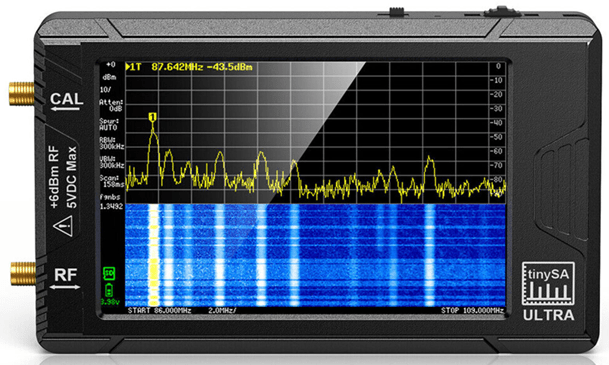
A quick amazon.com check shows its price ranging from $207.00 to $249.00 US.
RF Explorer
RF Explorer Technologies offers multiple models in their handheld RF Explorer series of spectrum analysis devices. These devices are solidly built with metal casings that I though felt good in my hand and were heavier than I expected (I don’t think that’s a bad thing though)
I purchased the WSUB1G model which has a frequency range of 50kHz through 960MHz. I actually bought a small kit that came with a nice case so that it wouldn’t get damaged in my bag along with my other gear. It was $199.00 from amazon.com (yeah yeah, I know I am an Amazon junkie, I blame my wife).
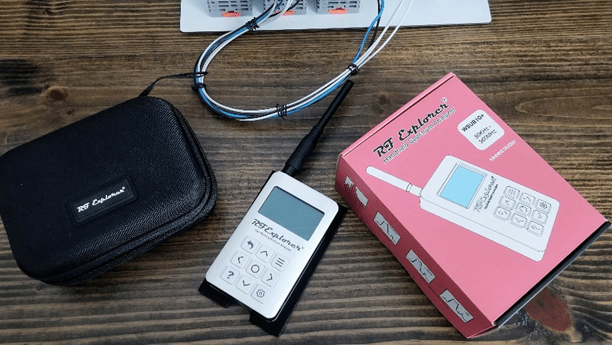
The screen measure approximately 2 and 1/4 inches measured diagonally and is monochrome (black digital graphics on a light blue backlit background)
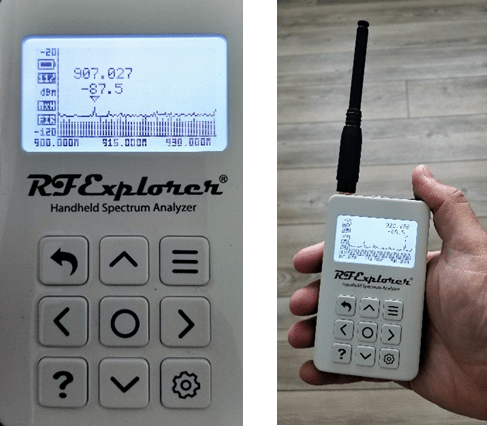
The RF Explorer can record sessions, but you need to get the $50 license that allows your device to do so. Also, it only records short sessions of a max of 250 spectrum sweeps which equates to about 1 minute and 15 seconds of recording time. Granted it can do multiple recordings, it’s just that each one is short. You can then playback the recording on the device or you can connect it to your computer and playback via RF Explorer for Windows! (Or for macOS or Linux)
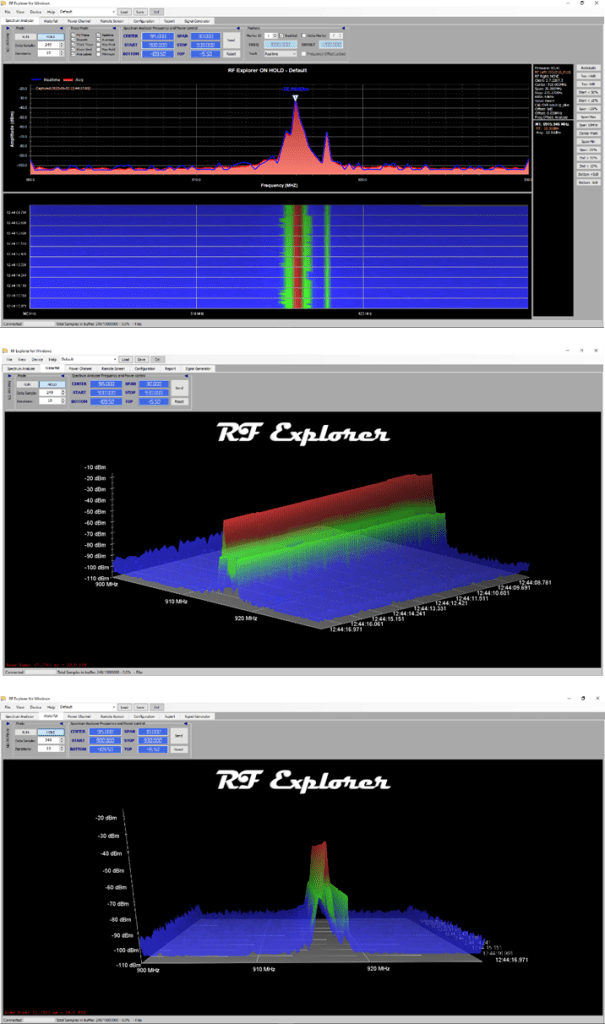
The RF Explorer software for your computer is free (I love that price) and has some nice display options for uploaded recordings or live viewings of a physically connected RF Explorer handheld device. Viewing options range from your standard density and waterfall graphs to several nice 3D representations of your recorded data.
Pricing for different models ranges from $149 to $599 depending on what you are looking for.
Chanalyzer
For those not familiar, Chanalyzer by MetaGeek is not like the other analyzers that I have discussed here. It is specialized software that runs on your computer that utilizes a special wireless adapter that connects via USB. Currently the adapters, various versions of the Wi-Spy line, come in 900MHz (WiSpy 900x – discontinued sadly, but I found one on eBay, lucky me) and 2.4GHz / 5GHz (the WiSpy dbx). They will be coming out with a 6GHz version soon along with new updates/versions of the software.
Chanalyzer is my main go-to for spectrum analysis in general. It has a decent spectrum resolution and presents a great interface that is easy to use. It also has a built-in report generator which is great for pulling specific data for wireless assessments.

For Chanalyzer you need to purchase the software and then the adapters separate. It’s a little more than the others mentioned above, but you do get much more for the money spent. The WiSpy dbx runs around $300 and a year subscription for Chanalyzer is $500. However, with that subscription you also get Tonic which is an amazing WiFi troubleshooting tool. So yes, its more, but its still less than all of the scientific models that run thousands and thousands of dollars and are not conducive for field work and you get a ton of real-world productivity out of it.
There are some other SDR USB adapters out there that can also perform spectrum analysis, like the RTL.SDR device, but I have found the software to not be useful enough for me on a professional level. I am always up for looking at new gizmos and gadgets though, so if you know of another inexpensive alternative and have used one in the past, drop me a comment and link and let me check it out!
For more information on the TinySA Spectrum Analyzers, check out their wiki:
https://tinysa.org/wiki/pmwiki.php?n=Main.HomePage
For more information of RF Explorer Technologies, check out their website:
https://j3.rf-explorer.com/menu-models
For more information about Chanalyzer, Check out MetaGeeks website:
If you have enjoyed what you have read, follow this blog as I share my experiences, blunders, how-to’s, tips, and opinions in all things OT Wireless from the wonderful world of industrial WiFi!
 The Industrial Wi-Fi Shop